A real code editor
Write and organize code with syntax highlighting, tabs, themes, line numbers, and a minimap in a touch-first workspace.
Android development, untethered
A proper editor and a real Linux terminal, together in one workspace built for your Android device.
No root. No laptop required.
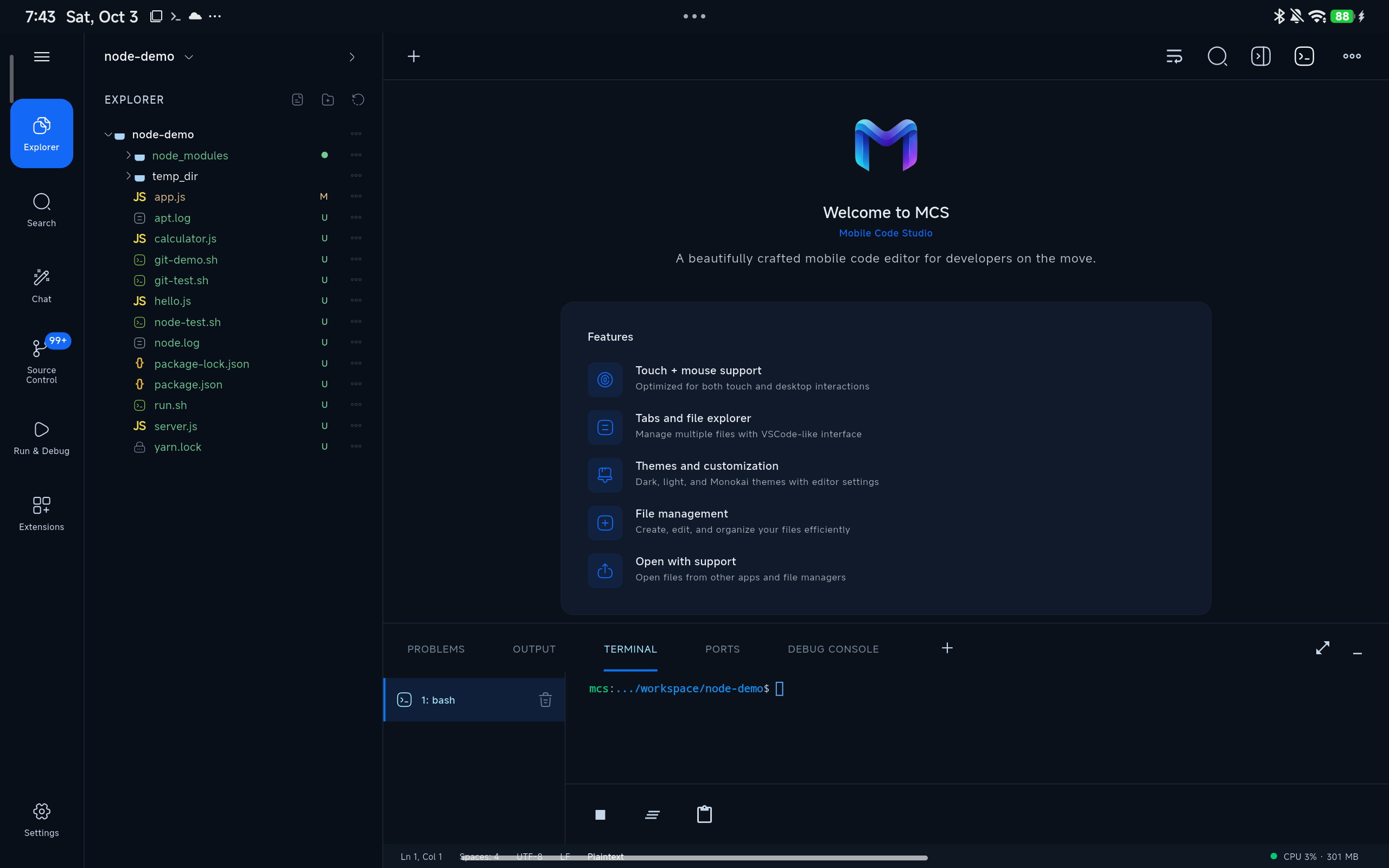
01 / Your workspace
Write and organize code with syntax highlighting, tabs, themes, line numbers, and a minimap in a touch-first workspace.
Browse files, move between open tabs, and keep projects in app storage where developer tools can work normally.
A real interactive shell runs in a PRoot userland. Install Git, Node.js, and more with the package repository.
Open local dev servers in the in-app browser, or share a port through a Cloudflare quick tunnel.
02 / Under the hood
MCS gives you an interactive Linux terminal with package tools ready to grow your setup.
~/project $ pkg install nodejs git
Packages installed. Ready when you are.
~/project $ npm install
# dependencies stay with your project
~/project $ npm run dev _
03 / From idea to preview
Start a project, work with familiar tools, and check what you built without jumping between apps.
Create in internal storage or bring an existing folder into your workspace.
Edit source, run git and npm, and install the tools your project needs.
Preview a local server in the browser tab or share it with a quick tunnel.
Your next workspace is closer than you think
Mobile Code Studio for Android.